Make every day of your Advent calendar special! With Magic Advent Calendar, you can fill your 24 doors with exciting content, from simple messages and downloads to interactive quizzes, giveaways, videos, and discount codes.
In this guide, you’ll learn how to customize your doors and choose the right content type for your Christmas campaign.
1. How to Edit a Door
When you publish a new Advent calendar, Magic Advent Calendar automatically creates 24 doors.
To customize a door:
-
Navigate to LC Advent Calendar → All Advent Calendars.
-
Open the calendar you want to edit.
-
Switch to the Doors tab.
-
Select the door you want to customize.
-
Choose your preferred Content Type.
-
Add your content and click Update.
Each door has its own opening date, automatically calculated from your calendar’s start date.
You can use different content types throughout your calendar to keep visitors engaged.

2. Available Door Content Types
Magic Advent Calendar offers six content types:
| Content Type | Availability |
|---|---|
| Text & Download | Free |
| Video | Free |
| Giveaway | Pro |
| Quiz | Pro |
| WooCommerce Product | Pro |
| Voucher / Discount Code | Pro |
2.1 Text & Download (Free)
The simplest way to surprise your visitors!
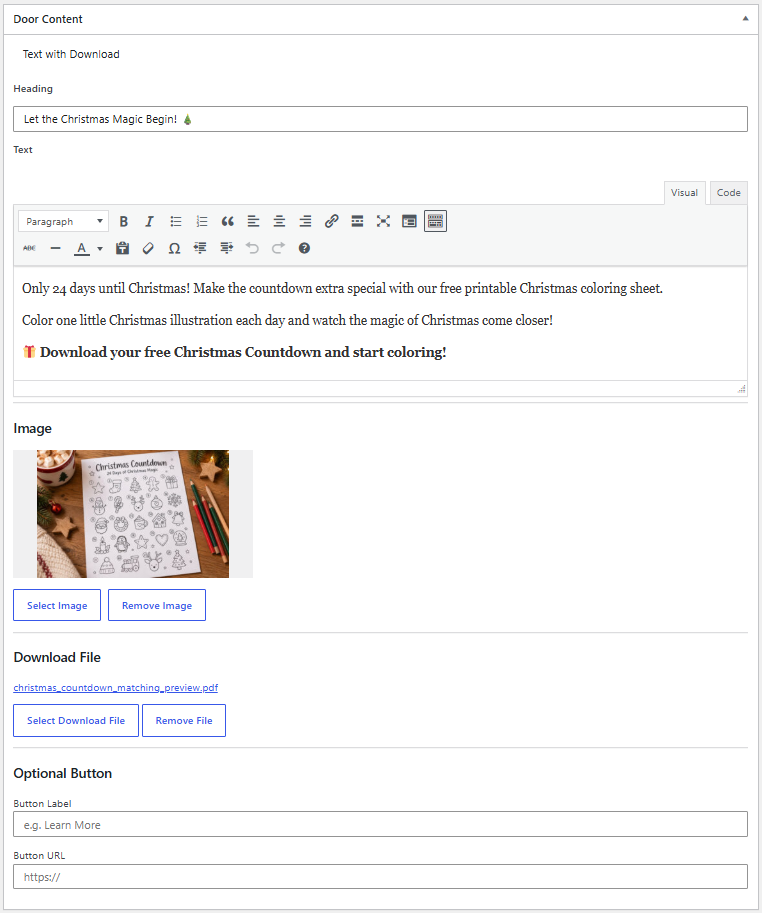
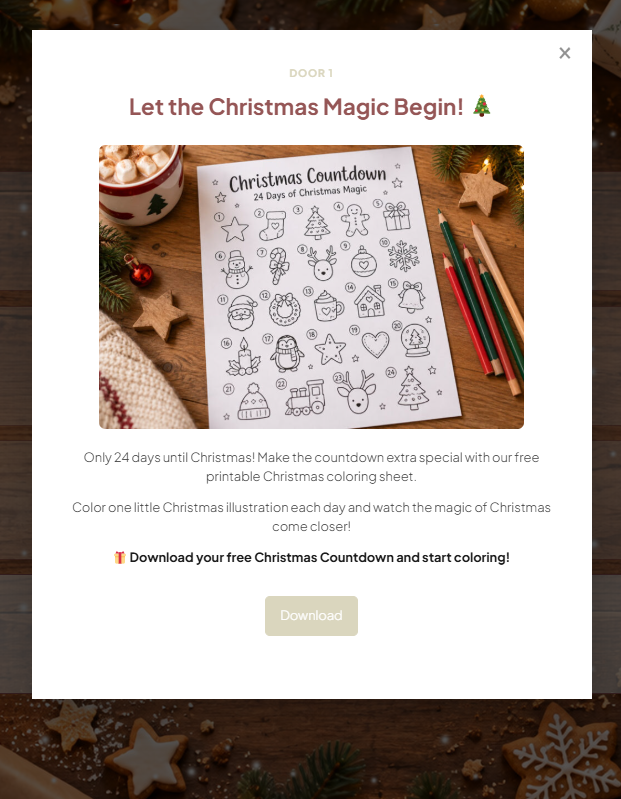
Add formatted text, images, and downloadable files to your Advent calendar doors.
Perfect for:
-
Christmas greetings and daily messages
-
Recipes and baking instructions
-
Downloadable PDFs and worksheets
-
Exclusive tips and inspirational content
Simply select Text & Download, enter your content in the editor, and optionally attach a downloadable file.
2.2 Video (Free)
Bring your Advent calendar to life with video content!
Use the Video content type to share engaging videos with your visitors.
Perfect for:
-
Christmas tutorials
-
Yoga and workout sessions
-
Cooking and baking videos
-
Personal Christmas greetings
-
Guided meditations
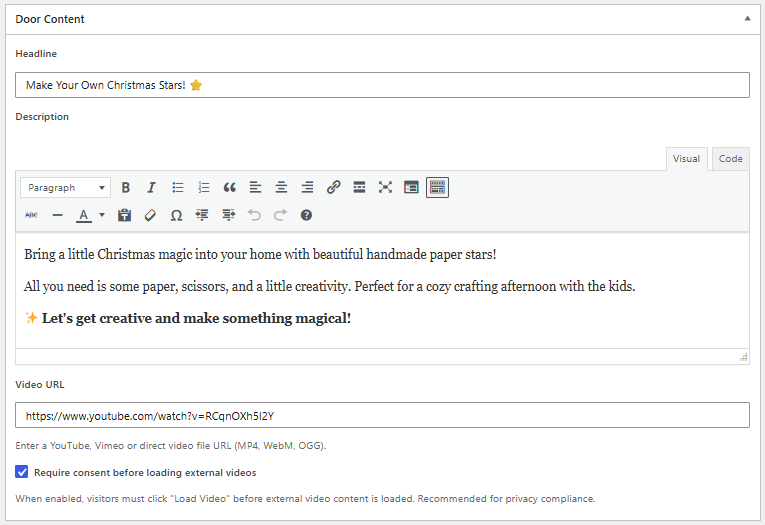
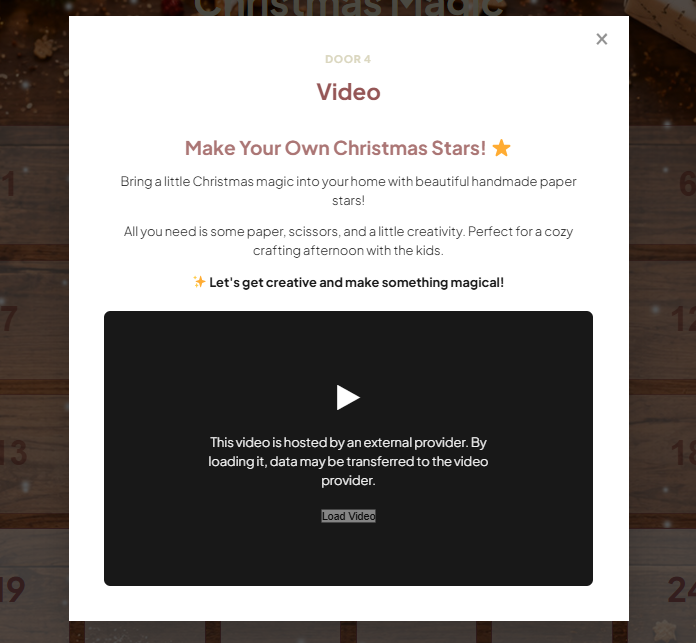
Select Video, add your video URL, and optionally choose a preview image.
Privacy-Friendly Video Loading
For better privacy protection, you can prevent embedded videos from loading automatically.
Instead, visitors will see a preview image and can choose to load the video by clicking on it.
This helps prevent connections to external video providers, such as YouTube or Vimeo, before visitors actively choose to load the content.
Tip: We recommend enabling this option when embedding videos from third-party platforms. Depending on your website’s setup and applicable privacy requirements, additional consent measures may still be necessary.
2.3 Giveaway (Pro)
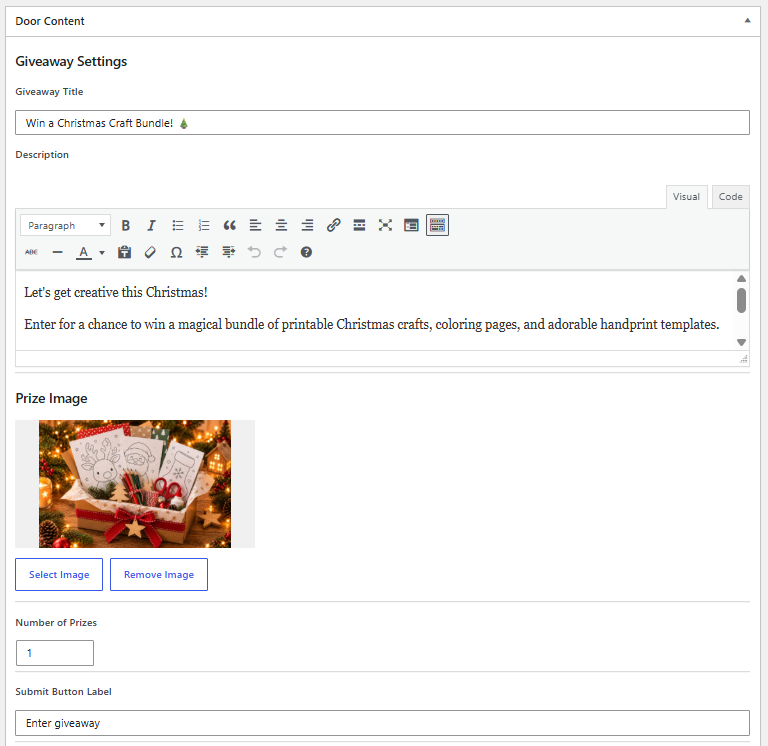
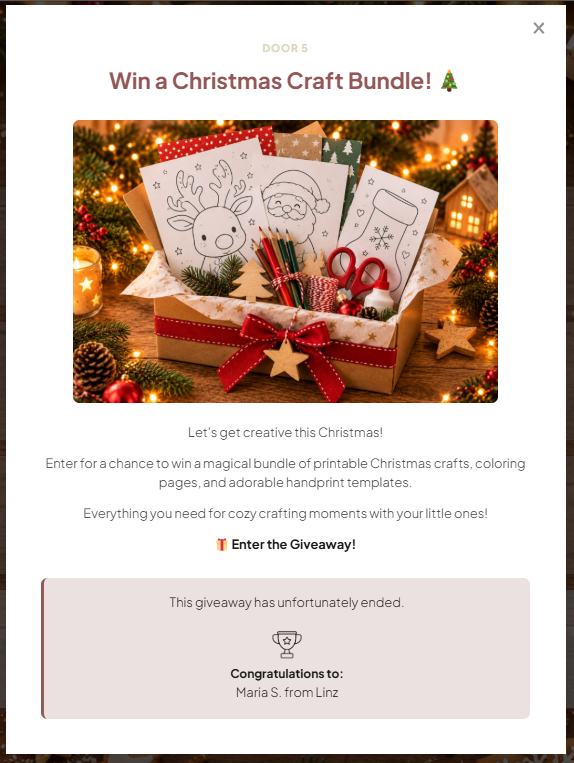
Create exciting giveaways and let your visitors participate directly through your Advent calendar.
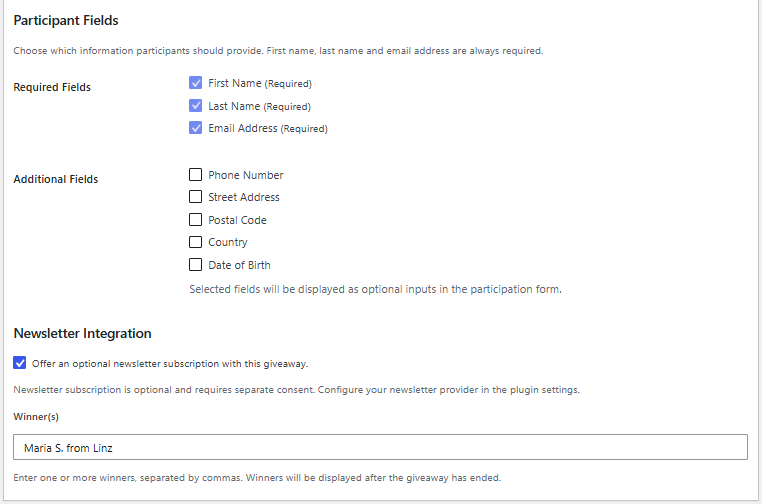
Magic Advent Calendar includes a participation form with customizable fields and optional newsletter registration.
Features include:
-
Participant registration forms
-
Customizable optional fields
-
Participation terms and privacy consent
-
Optional newsletter opt-in
-
Brevo and Mailchimp integrations
-
Participant management
Important: Giveaway participation is only available on the door’s scheduled opening day.
For detailed instructions, see our Giveaway Setup & Participant Management guide.
2.4 Quiz (Pro)
Turn your Advent calendar into an interactive experience!
Create quizzes with multiple-choice questions and reward visitors for answering correctly.
Features include:
-
Multiple-choice questions
-
Correct answer validation
-
Custom feedback
-
Optional participant registration
-
Rewards such as discount codes, text, or downloadable files
Perfect for:
-
Christmas trivia
-
Product knowledge quizzes
-
Interactive learning
-
Fun challenges with exclusive rewards
For detailed instructions, see our Quiz Setup & Rewards guide.
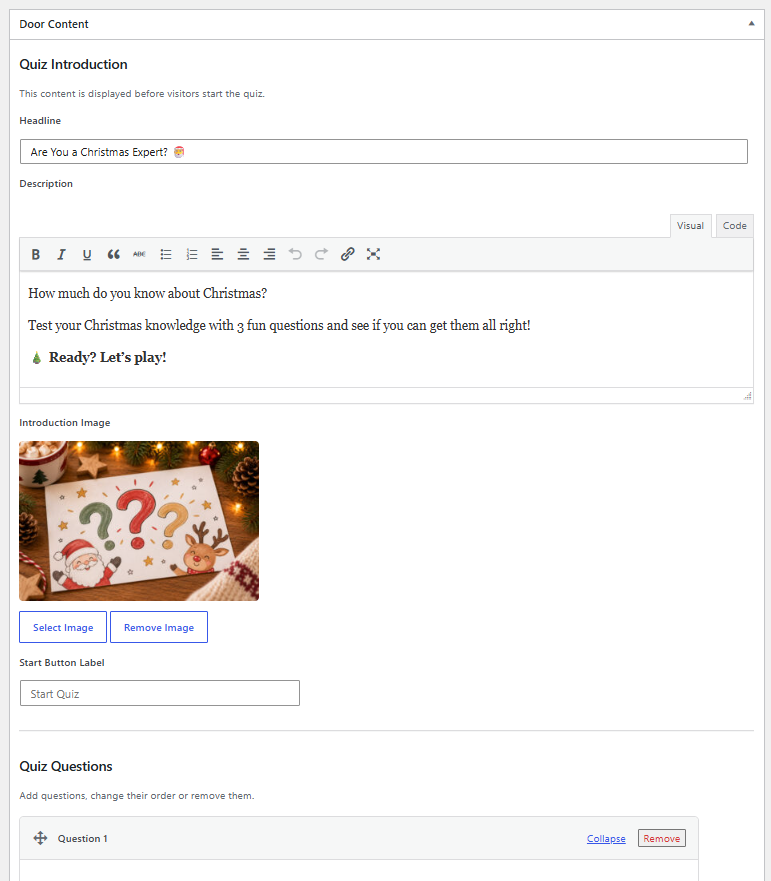
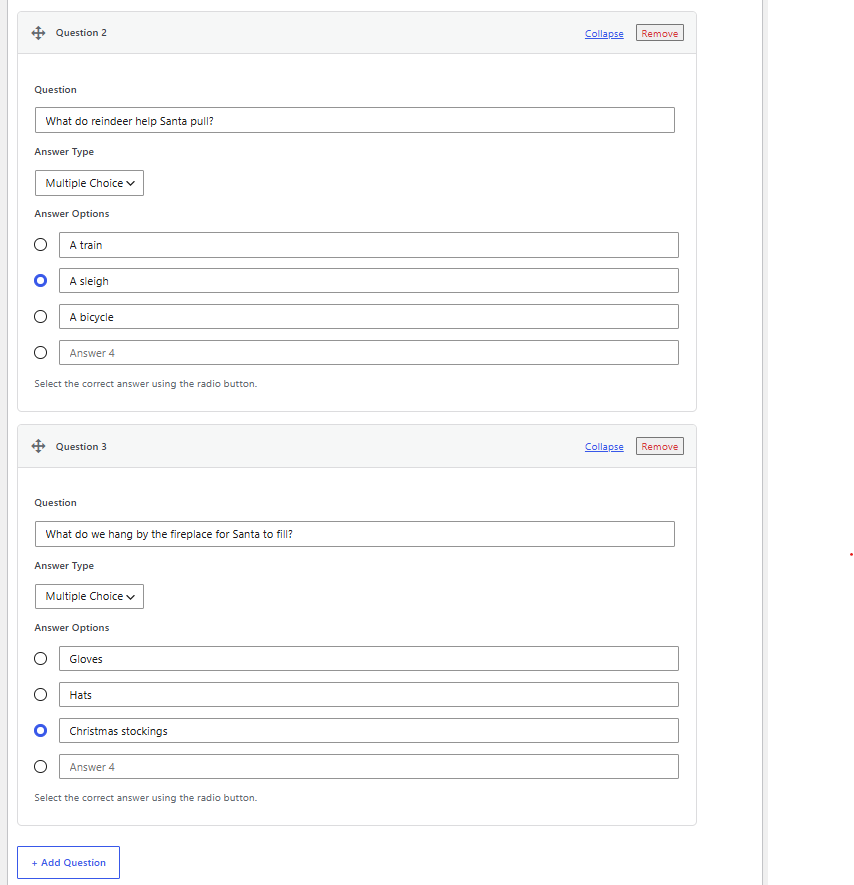
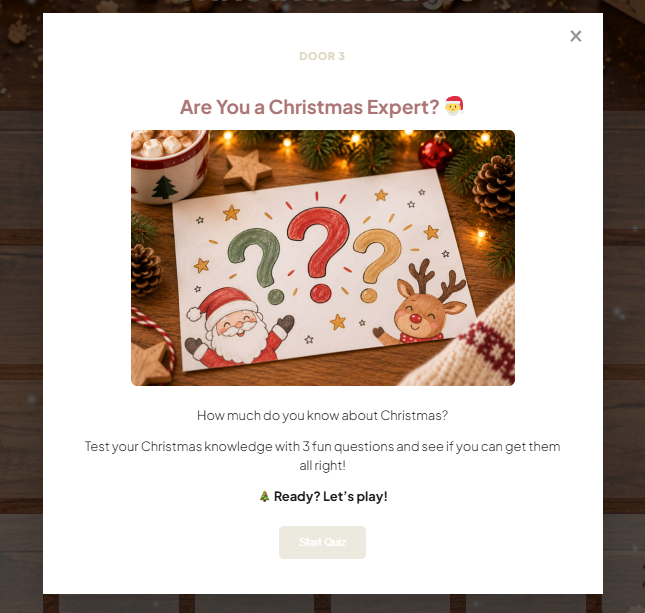
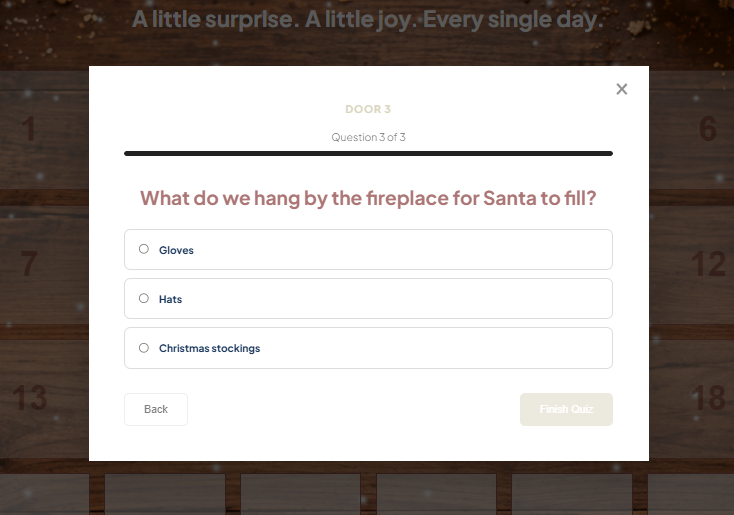
2.5 WooCommerce Product (Pro)
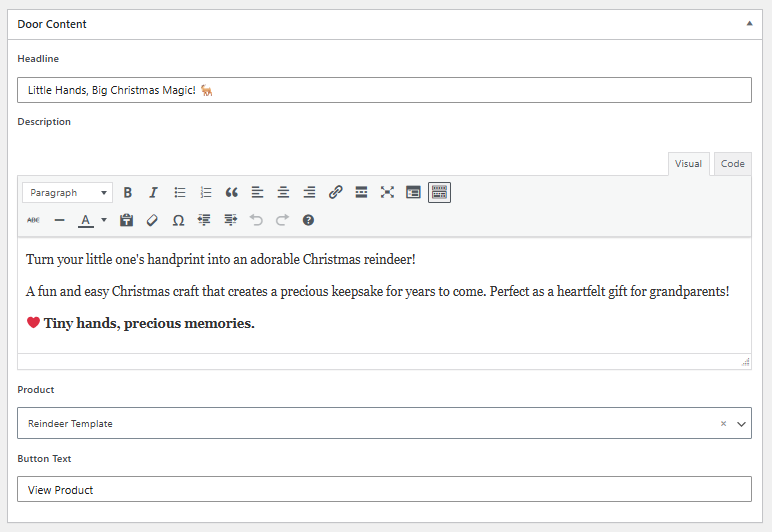
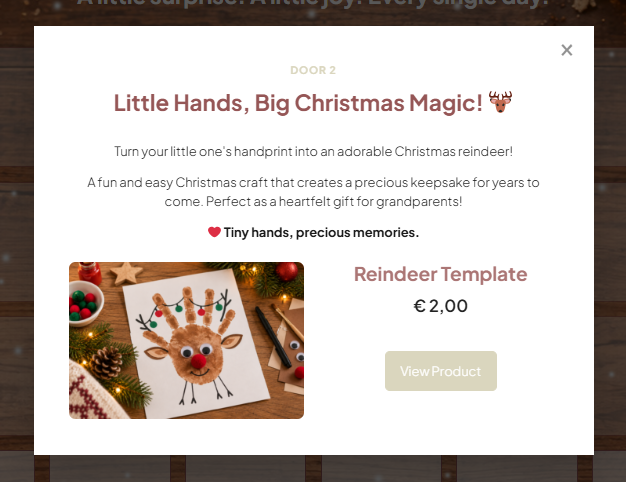
Promote products from your WooCommerce store directly inside your Advent calendar.
Select a product and use your calendar to highlight special offers, Christmas gift ideas, or seasonal favorites.
Perfect for:
-
Daily product highlights
-
Christmas gift recommendations
-
Seasonal promotions
-
Featured shop products
Requirements: WooCommerce must be installed and active on your WordPress website.
2.6 Voucher / Discount Code (Pro)
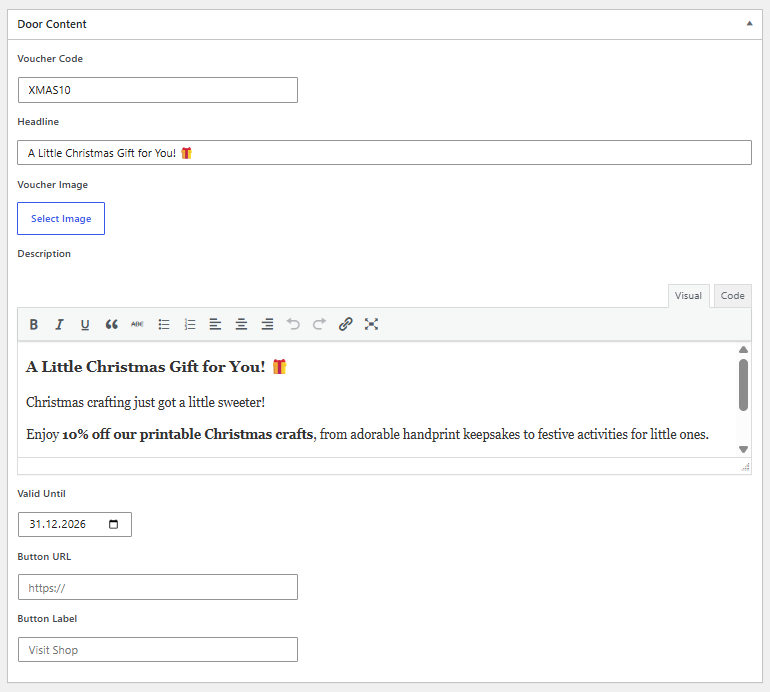
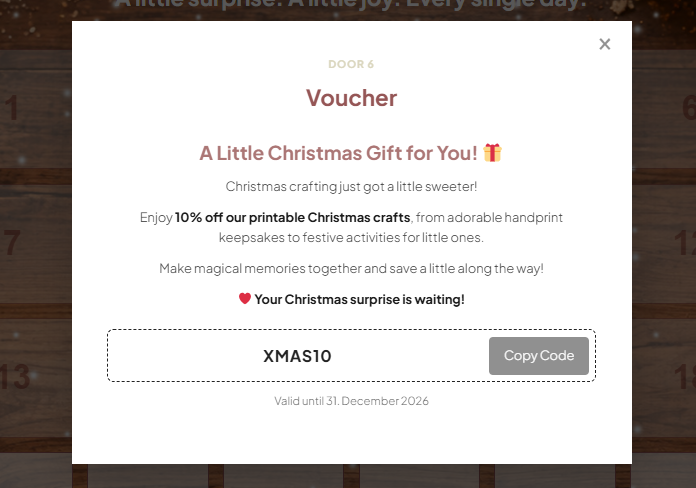
Surprise your visitors with exclusive discount codes and special offers.
Use this content type to display promotional codes and encourage visitors to explore your shop.
Perfect for:
-
Daily Christmas discounts
-
Exclusive voucher codes
-
Limited-time offers
-
Special promotions for loyal customers
Add your voucher details and any relevant redemption information.
3. Customize Your Door Images
Want to give your Advent calendar a unique look?
You can design your own door images instead of using the default designs.
-
Open the door you want to customize.
-
Find the Featured Image section in the WordPress editor.
-
Upload your custom door image.
-
Click Update.
Image Recommendations:
-
Minimum size: 360 × 360 px
-
Include the door number directly in your image.
-
Use a consistent design across all 24 doors.
-
Choose high-quality images for a professional appearance.
4. Preview Your Doors with Test Mode
You don’t have to wait until December to test your calendar!
Enable Test Mode in your calendar’s General Settings to unlock all 24 doors, regardless of their scheduled opening dates.
This allows you to preview your content, check your designs, and test interactive elements before your calendar launches.
Important: Disable Test Mode before making your calendar available to visitors.
For more information, visit our Calendar Settings & Appearance guide.
5. How Door Opening Dates Work
Magic Advent Calendar automatically manages your door opening dates.
-
Future Doors: Remain locked until their scheduled opening date.
-
Today’s Door: Becomes available on its opening date.
-
Previous Doors: Remain accessible so visitors can revisit earlier content.
The opening date of each door is based on your calendar’s start date and its door number.
For example, if your calendar starts on December 1, Door 1 opens on December 1, Door 2 on December 2, and so on.
Visitors’ opened doors are remembered in their browser using local storage.
6. Tips for Creating an Engaging Advent Calendar
Keep your visitors excited throughout the Christmas season!
-
Mix content types: Combine recipes, videos, quizzes, giveaways, and discount codes.
-
Keep it short: Visitors should be able to enjoy each surprise in just a few moments.
-
Use appealing images: Give your calendar a consistent and festive design.
-
Offer variety: Alternate between entertaining, informative, and promotional content.
-
Test everything: Preview your calendar before December to make sure all doors work correctly.